Idea Tools
Ideas are saved shortlists of stocks or ETFs that you generate in the Universe Screener. They are designed to move you from “interesting names” to a portfolio-ready candidate set.
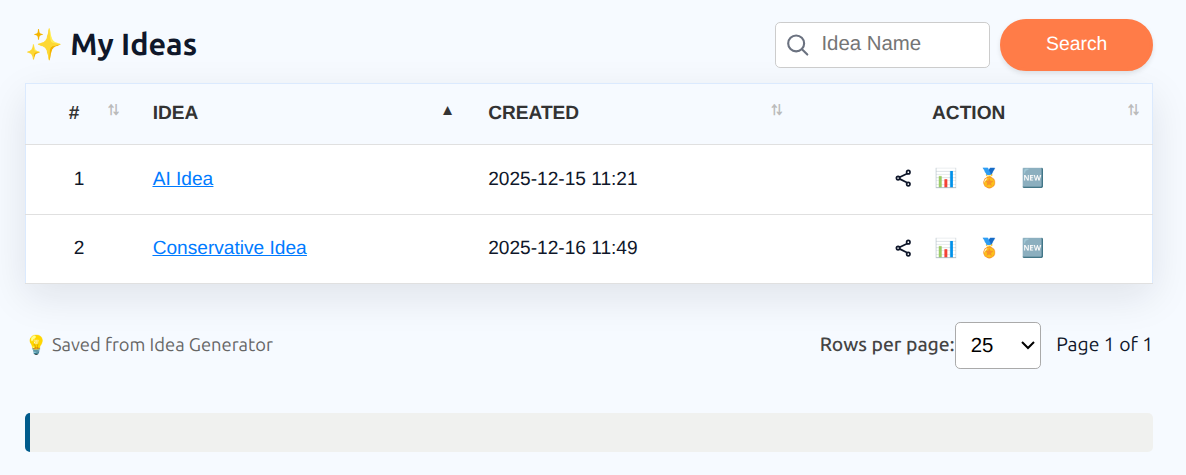
When you save an Idea, it appears under My Ideas where you can review it, compare it, share it, and convert it into a portfolio.
1. Create and save an Idea
- Open the Universe Screener.
- Choose country (Canada or U.S.).
- Select a Theme, Profile, or Custom slice.
- Apply filters and generate one or more Ideas.
- Click Save.
An Idea is a fixed snapshot of the shortlist at the moment you click Save, including the settings used to generate it. It does not change if market data updates later.
2. Where Ideas live
Saved Ideas live under My Ideas (https://app.investlens.ca/my_ideas).
From My Ideas, you can:
- Search and sort your Ideas
- Open an Idea to view its constituents
- Rename or delete an Idea
- Open an Idea report
- View the ranking chart for an Idea, and compare it against one other Idea from within that chart
- Share an Idea link
- Convert an Idea into a portfolio
Opening an Idea gives you View Idea, which lists the assets that make up the Idea with each one's ticker, type, and description. You can search and sort those assets, and run the same actions — idea report, ranking, rename, delete, create portfolio, share — from there.
2.1 Idea report and rankings
- The Idea report is a report generated for the saved shortlist.
- Rankings score and order the assets in the Idea using the Ranking System, so you can see which candidates stand out within the shortlist.
3. Compare Ideas
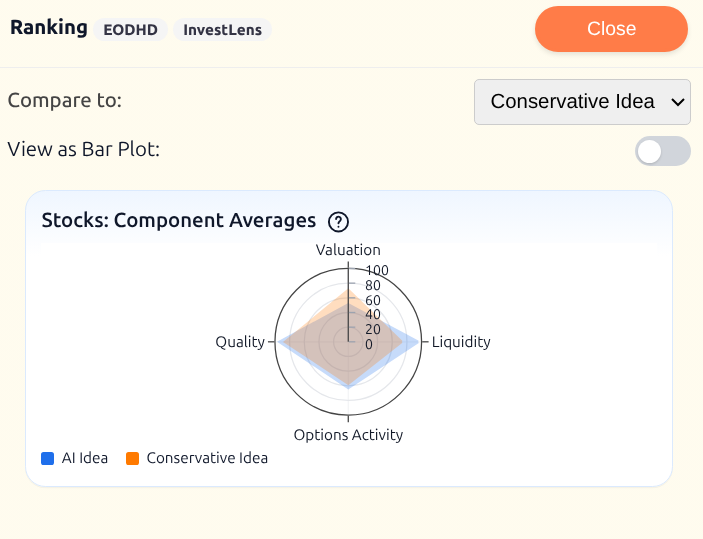
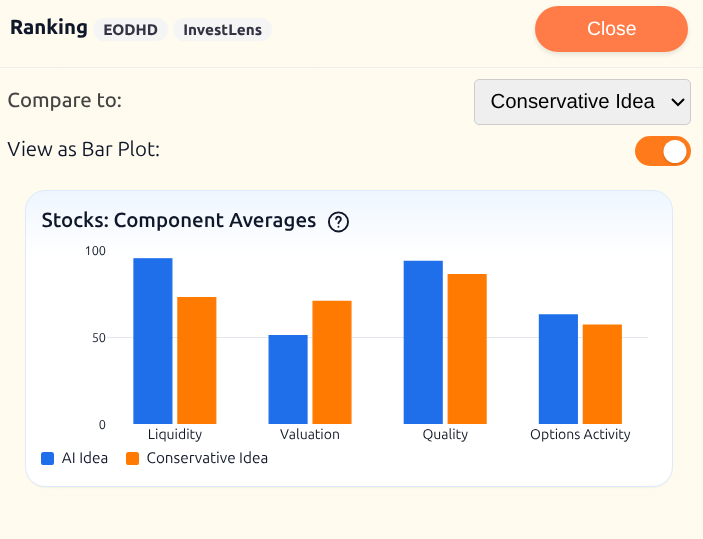
InvestLens helps you compare Ideas visually, using the components of the Ranking System. Example: compare an AI-themed Idea to a more conservative shortlist to see how their factor profiles differ.
You can compare two Ideas using:
- Spider (radar) chart: a quick “shape” comparison across ranking components
- Bar chart: a clearer component-by-component comparison when you want precision
This makes it easy to answer questions like:
- “Is this Idea more quality-tilted than that one?”
- “Did I trade off valuation for income?”
- “Which shortlist is more balanced across components?”
In this example, the AI-themed Idea scores higher on liquidity, options activity, and quality, while the conservative Idea scores higher on valuation.
4. Share Ideas
Ideas can be shared by email invitation. See Secure Share for details.
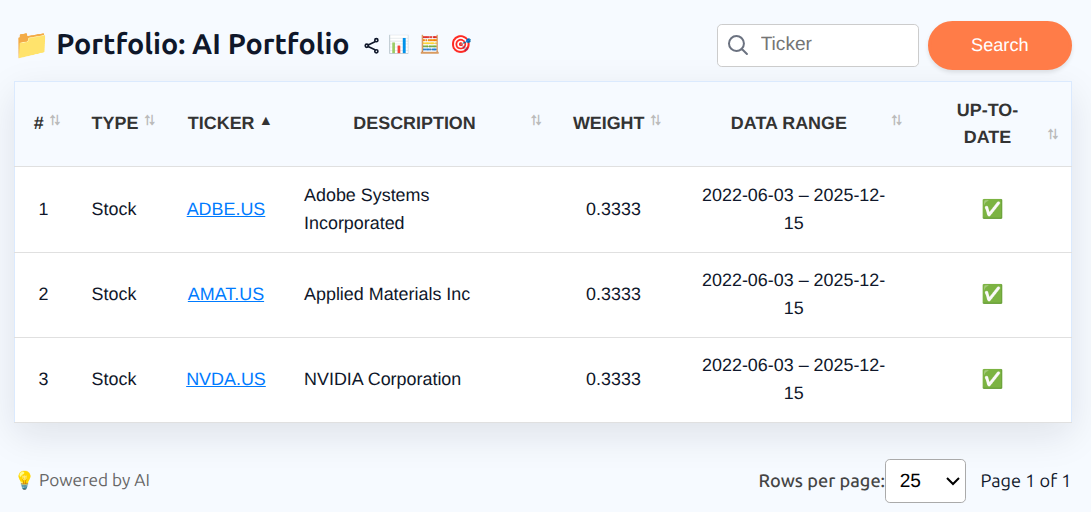
5. Convert an Idea into a Portfolio
If you want to take an Idea into portfolio construction, you can convert it in a few clicks:
- Open the Idea in My Ideas
- Click New Portfolio
- Choose a name and proceed to portfolio setup
This gives you a clean starting set of assets without rebuilding the list manually.
You can also ask Iris to generate ideas, save a generated Idea to your account, or turn one into a portfolio. Iris proposes the change and applies it only after you confirm.
6. Notes and limitations
- Ideas are decision-support tools for research and workflow, not execution instructions.
- Rankings and component values depend on underlying data availability and may update over time.
- Shared Ideas cannot be revoked once they are added to the recipient’s account.