User Profile
My Profile is where you manage your account details and the timezone used to display dates and times: https://app.investlens.ca/my_profile
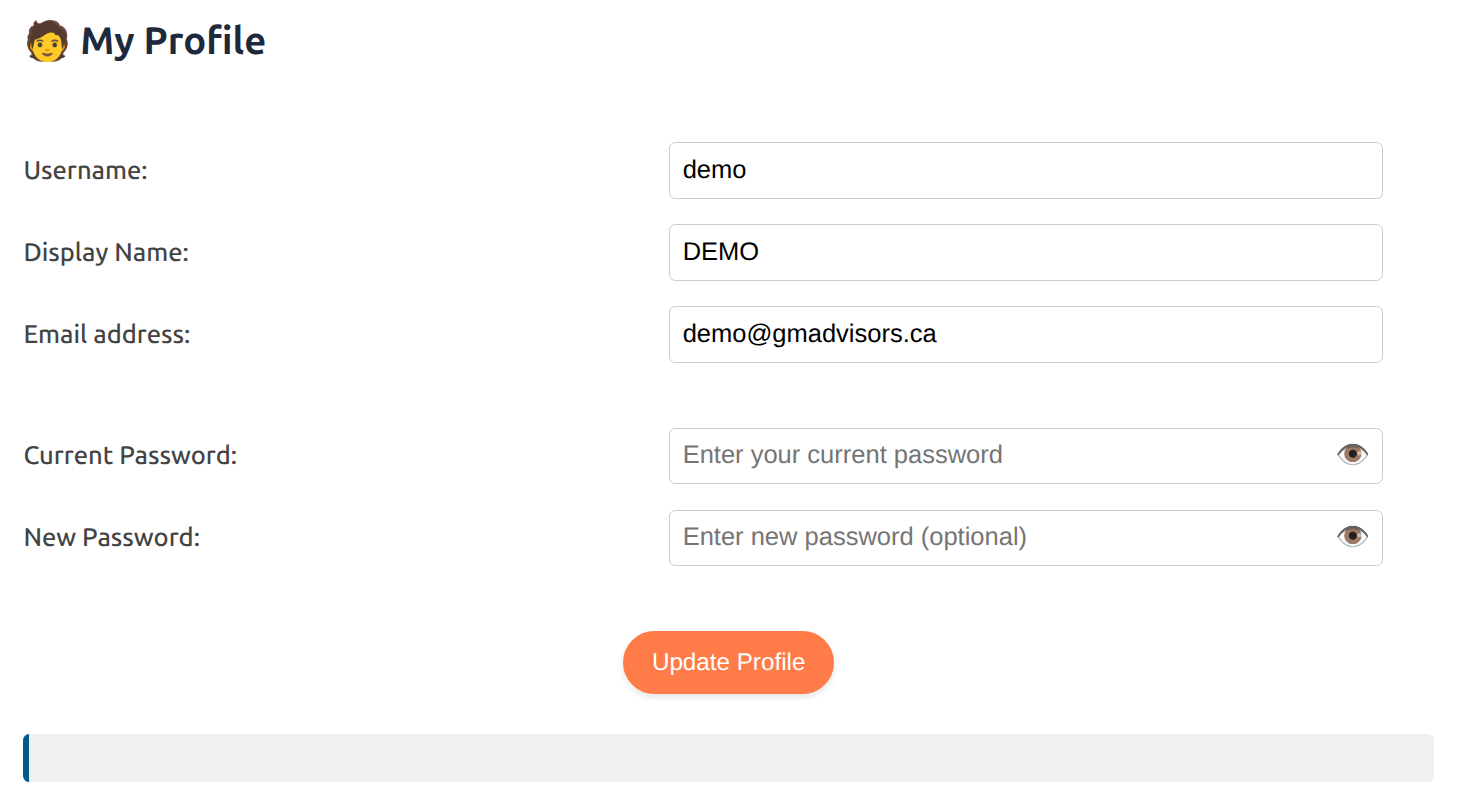
The page is a single form with one Update Profile button. Every change on it — display name, email, password, and timezone — requires your Current Password.
1. Fields
- Username: your InvestLens username (cannot be changed).
- Display Name: the name shown in the application where applicable, for example in Secure Share emails.
- Email address: the email associated with your account.
- Timezone: the zone used wherever InvestLens shows you a date or time. Sits directly below the email address — see Timezone.
- Current Password: required to save any change on this page.
- New Password (optional): enter a value only if you want to change your password. Left blank, your password does not change.
2. Timezone
The timezone setting is always an explicit zone — there is no Automatic option. A zone that only your browser can work out would be unavailable to the parts of InvestLens that render without one (reports, emails, and Iris date lookups), so the profile always shows the actual zone in use rather than a setting that means different things to different readers.
- Accounts that have never chosen a zone show the default, Toronto, already selected. The same applies to accounts carried over from before this setting existed.
- The dropdown offers a curated list grouped by region: North America, South America, Europe, Africa & Middle East, Asia, Oceania, and UTC under Other. Each option is labelled with the city and its current UTC offset, so labels shift with daylight saving.
- Options within a region are ordered by UTC offset, which makes it easy to find "the zone an hour ahead" rather than scanning alphabetically.
- If your account already holds a valid zone that is not on the curated list, it appears at the top of the dropdown under Current setting, so a saved value is never silently replaced.
2.1 Where the timezone applies
Everywhere InvestLens shows you a date or time, including the conversation history drawer and the Workspace status bar. It also governs how Iris answers date and time questions, and what "today", "yesterday", and "this week" mean when it works out dates.
My Profile is the only place the timezone is set. Saving the General, Portfolio, or Asset Settings pages leaves a chosen zone untouched, so a saved zone is never reset or overwritten on its own.
3. Saving
- All changes save together in a single transaction. If any field is rejected, nothing on the page is saved — including a timezone change made at the same time.
- A successful save confirms with a message at the bottom of the page.
- A rejected save says which field was refused and why, and nothing is saved.
4. Shares are managed elsewhere
Ideas and portfolios you have shared, along with their status and expiry, are managed on the Secure Share page rather than on My Profile.